True Blue Casino Mobile and App Options
 Available in US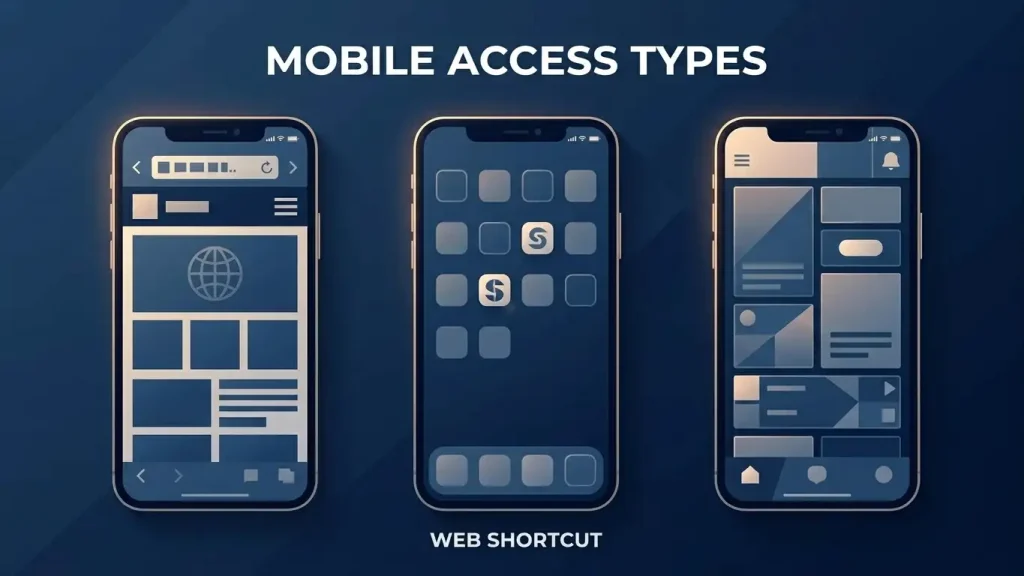
Mobile access guide for Australia
True Blue supports mobile-browser access, so players can use the casino from a phone or tablet without a desktop computer. A separate native iPhone or Android app should not be assumed. For practical purposes, browser access is the dependable baseline unless an official store listing is available for the app you intend to install.
Table of Contents
- What True Blue supports on mobile
- Browser, PWA and native app are not the same thing
- Why the app claims are conflicting
- What to check when using the mobile site
- Account access on a phone
- Mobile payments and cashier tasks
- Practical mobile security
- What to test in a mobile-browser session
- A home-screen icon does not prove a native app exists
- Mobile convenience should not change the checks you make
- What Australian players can safely expect from True Blue on mobile
What True Blue supports on mobile
| Mobile question | Current position | What to do |
|---|---|---|
| Can the casino be used in a mobile browser? | Supported | Open the site in a current mobile browser and use the responsive version. |
| Can RTG games be played on a phone? | Mobile access is supported | Check compatibility on the individual game before real-money play. |
| Is there a native iOS app? | Not confirmed | Do not install an unknown package or assume an App Store listing exists. |
| Is there a native Android app? | Not confirmed | Use browser access unless you can confirm an official store listing. |
The distinction matters because “mobile casino” does not automatically mean “native app”. A well-designed website can provide most account, cashier and game functions through Safari, Chrome or another mobile browser without requiring software installation.
Browser, PWA and native app are not the same thing
A mobile browser version is simply the casino website adapted to a smaller screen. You visit it through a browser, log in and navigate normally. There is no separate software package to install.
A progressive web app, or PWA, sits between a website and a native app. A compatible website can sometimes be saved to the home screen and opened in its own window, but it still relies on web technology. The presence of a home-screen icon does not prove that an app was downloaded from Apple or Google.
A native app is different. It is software built for iOS or Android and usually distributed through an official app store or a clearly documented first-party channel. Because current True Blue references disagree about whether such an app exists, this guide does not direct readers to an APK, sideloading package or third-party download page.
Why the app claims are conflicting
True Blue-facing pages do not present one consistent native-app position: some describe a dedicated mobile app, while others say no separate app is needed and direct users to the browser. Treat browser access as the baseline unless an official store listing is available.
Do not rely on a download claim unless it leads to an official True Blue Casino listing in Apple’s App Store or Google Play. If no official listing is available, use the mobile website instead.
What to check when using the mobile site
The most useful mobile test is functional rather than cosmetic. Start with navigation: menus should fit the screen without forcing horizontal scrolling, and account controls should remain easy to reach. Then check the cashier, because deposit and withdrawal tasks often involve more form fields than ordinary game browsing.
Next, open the mobile game library and test one or two titles before committing to longer play. True Blue’s catalogue is centred on RealTime Gaming, but mobile behaviour can still differ between individual games. Touch targets should be large enough to use comfortably, rules should remain readable and the game should recover cleanly after changing orientation or switching apps.
For pokies specifically, the mobile pokies guide explains why game mechanics and provider concentration are more useful comparison points than a changing title count.
Account access on a phone
Mobile access is useful only if ordinary account tasks remain manageable. Logging in, reviewing account details and reaching verification prompts should not require a separate application. If a phone browser asks to save a password, use the device’s trusted password manager rather than storing credentials in notes or messages.
Be cautious with links received through unsolicited messages that claim to be a special mobile login or app download. Open the known site directly instead of following a shortened or unfamiliar link. The separate account access covers login, registration and verification in more detail.
Mobile payments and cashier tasks
True Blue’s mobile experience also matters when moving money, not just when playing. Deposit categories include Visa, Mastercard, Neosurf and Bitcoin, but the exact methods shown to an individual account can vary. A phone should therefore be treated as another way of accessing the same cashier rather than as proof of a special mobile-only payment route.
Before depositing, check that the amount, currency and selected payment method are clearly visible on screen. For withdrawals, avoid relying on remembered limits or processing times from an older published page. The payment methods explains the listed banking options and the details that should be checked in the live cashier.
Practical mobile security
Keep the browser and phone operating system updated, use a device lock and avoid installing casino software from unknown download mirrors. Public Wi-Fi also deserves caution when signing in or handling financial details; a trusted connection is preferable for account and cashier activity.
If you add the site to a home screen, remember that an icon alone does not change the underlying security model. Check the address when opening it, especially after browser updates or if a shortcut begins redirecting somewhere unexpected.
None of these steps depends on whether a native app eventually becomes available. They are useful whenever an account is accessed from a mobile device.
What to test in a mobile-browser session
Because browser access is the well-supported mobile route, the most useful mobile check is practical rather than promotional. Start with navigation: the account area, game lobby and cashier should remain usable on the screen size you intend to use. Then open a game you would actually play and check whether its controls, rules panel and orientation are comfortable without constant zooming or accidental taps.
Account and payment tasks deserve a separate check from game performance. A phone can run the lobby smoothly while a cashier form or verification step is less convenient on a small screen. If you expect to deposit, update account details or follow a withdrawal, make sure those parts of the site are readable before relying on mobile as your only access method.
Connection changes matter as well. Moving between Wi-Fi and mobile data can interrupt a session even when the casino itself is functioning normally. If a page appears stuck after a connection change, confirm the session state before repeating a payment or account action. That is a device-and-connection check, not evidence for or against a native app.
A home-screen icon does not prove a native app exists
Modern mobile browsers can let a website or progressive web app appear on the home screen with its own icon. That can make browser-based access feel similar to an installed application, but it is not the same as a native app distributed through an official app store.
The distinction matters for True Blue because current descriptions of its mobile offering do not agree. A browser shortcut, install prompt or PWA-style experience can coexist with the absence of a confirmed App Store or Google Play listing. Seeing an icon on a phone therefore answers a usability question, not whether True Blue has a separately distributed native application.
If a site presents an app download outside an official store, do not treat the download claim as proof of authenticity. The dependable baseline remains the mobile website, with any native-app claim requiring its own current verification.
Mobile convenience should not change the checks you make
A smaller screen can make it easier to overlook the address bar, payment details or account notices. Before entering credentials or approving a transaction, check the destination and the information shown on the final screen just as carefully as you would on desktop. Mobile access changes the interface, not the need to confirm where you are signing in and what action you are authorising.
What Australian players can safely expect from True Blue on mobile
The dependable expectation is mobile-browser access to True Blue and its RTG-centred casino experience. A separate native iPhone or Android application should not be assumed unless an official store listing is available. That makes the browser the clearest option for Australian readers who want to use the site on a phone.
Before relying on mobile for regular play, test the games you actually use, make sure the cashier is comfortable on your screen and keep account access secure. For the full context around bonuses, payments, games and other brand features, see the full review.
Browser access also keeps the main account workflow in one place: login, game launch, cashier checks and withdrawal status can all be handled without installing a separate package. On a smaller screen, confirm the domain before entering credentials and review payment amounts carefully before submitting a transaction.